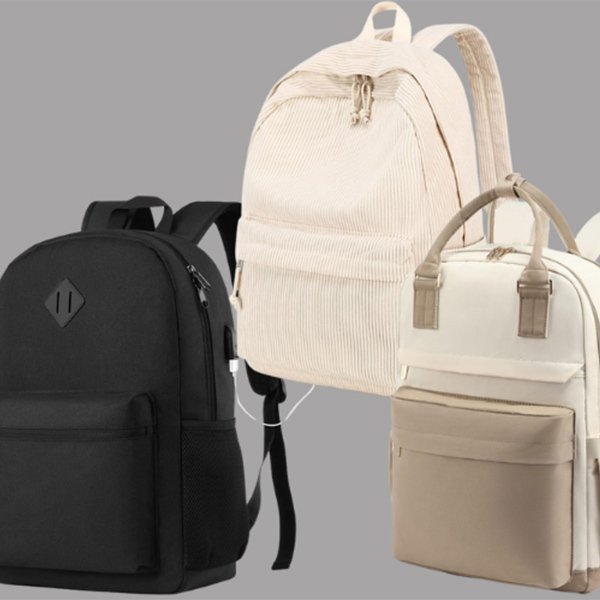
When selecting a laptop bag for 13-inch, 15.6-inch, or 17-inch laptops, do not rely solely on the diagonal screen size; also consider the device’s width, depth, thickness, and weight, as well as the charger dimensions, the type of laptop compartment, and carrying comfort.
For instance, choose a slim, compact bag or a small backpack for a 13-inch laptop. A 15.6-inch laptop is well-suited to a standard-sized bag or a backpack with a dedicated compartment. A 17-inch laptop generally requires a larger, sturdier bag to ensure adequate protection.
Th laptop bag size guide will explains how to choose laptop bags for 13-inch, 14-inch, 15.6-inch, 16-inch and 17-inch laptops, how much extra space to allow, and what brands should consider when developing laptop bags.
Quick Laptop Bag Size Guide
As a general starting point:
| Laptop Size | Typical Bag Direction | Common Uses |
| 13 inch | Compact laptop bag or sleeve | Light commuting, meetings, travel |
| 14 inch | Slim backpack, tote or briefcase | Office and everyday carry |
| 15.6 inch | Standard laptop backpack or business bag | Work, university and commuting |
| 16 inch | Medium-large structured laptop bag | Professional and creative work |
| 17–17.3 inch | Large backpack or travel laptop bag | Gaming laptops and workstations |
These are only general guidelines.
Always compare the actual laptop dimensions with the usable internal dimensions of the laptop compartment before choosing a bag.
Laptop Screen Size Is Not Laptop Bag Size
A laptop’s screen size is not the same as the size of the laptop itself.
When shopping for a laptop bag, most people instinctively assume that the listed size refers to the dimensions of the entire device. This is not the case. These listed sizes—such as 13 inches—refer to the screen size, measured diagonally from one corner of the display to the opposite corner.
When considering laptop dimensions, you must look beyond just the screen size and take the following factors into account:
- Screen aspect ratio (e.g., 16:10 or 16:9)
- Bezel width
- Chassis thickness
- Hinge design
- Protective cases or shells
- Cooling systems (common in gaming laptops)
- Variations in chassis design
For example, Apple’s official website lists the 13-inch MacBook Air as approximately 11.97 inches wide and 8.46 inches deep, while the 15-inch MacBook Air measures roughly 13.40 inches wide and 9.35 inches deep. The Dell Inspiron 15 5515 (a 15.6-inch model) measures approximately 14.02 inches wide and 9.01 inches deep. Some 17.3-inch HP laptop models have a width of around 15.78 inches. These examples demonstrate that measuring the actual dimensions of the laptop chassis is more important than relying on the listed screen size when comparing and selecting a laptop bag.
How to Measure a Laptop for a Bag
Before designing or purchasing a custom laptop bag, sleeve, or backpack, you need to measure four key dimensions of the laptop:
Screen Diagonal
Start at one corner of the laptop display and measure diagonally using a tape measure. Note that this measurement should exclude the surrounding bezel and casing.
Width
Close the laptop and place it on a flat surface. Measure horizontally from the left edge of the laptop body to the right edge, keeping the tape measure straight and flat throughout the process.
Ideally, the width of the bag’s internal compartment should be slightly larger than the laptop’s width to ensure it slides in smoothly.
Depth
Depth refers to the front-to-back dimension of the laptop when closed. Measure from the front edge to the rear edge near the hinge, including the hinge area.
Thickness
Measuring thickness is crucial when designing or sourcing bags for gaming or rugged laptops; it determines whether the bag will close properly, whether the zipper will be under excessive strain, and whether the laptop can be easily removed.
Close the laptop and measure the distance from the bottom to the highest point. Be sure to include rubber feet, raised edges, and any hard protective shells in your measurement.
During the actual development of custom laptop bags, we advise clients against relying solely on nominal screen sizes (such as “13 inches” or “15.6 inches”). Instead, we recommend providing the laptop’s exact dimensions and allowing for a slight margin—approximately 0.5 to 0.8 inches of extra space—to prevent the fit from being too tight or causing compression issues.
What Size Bag Do You Need for a 13-Inch Laptop?
Many modern 13-inch laptops are thinner and lighter, making them an ideal choice for students or professionals who prioritize portability and mobile work.
13-inch Laptop bags are compact and offer a snug fit. They are neither too large—allowing the laptop to slide around inside—nor too small, which could cause zippers and seams to press against the corners. Good options include:
- Laptop sleeves
- Slim laptop briefcases
- Compact laptop backpacks
- Laptop totes
- Small messenger bags
For commuters or business travelers who only need to carry their laptop, a charger, and a few daily essentials, a 13-inch laptop bag is a good choice. It can be carried on its own or placed inside a larger commuter tote or everyday backpack.
What Size Bag Do You Need for a 14-Inch Laptop?
14-inch laptops strike a balance between portability and usable screen/keyboard space, making them a popular choice among professionals.
Laptop bags designed for 14-inch models are slightly larger and more substantial than those for 13-inch models, yet they still prioritize portability and functionality. In addition to a foam-padded laptop compartment, they often feature one or two practical pockets for storing items like a smartphone or charger.
Common 14-inch laptop bag types include:
- Compact laptop backpacks
- Business backpacks
- Laptop briefcases
- Messenger bags
- Business tote bags
When selecting or purchasing a bag for a 14-inch laptop, pay close attention to the internal compartment dimensions specified by the manufacturer. Some bags labeled as suitable for 13- to 14-inch devices may only accommodate slim, lightweight laptops; a thicker laptop or one fitted with a protective case might not fit.
Therefore, the dimensions of the internal laptop compartment are crucial.
What Size Bag Do You Need for a 15.6-Inch Laptop?
The 15.6-inch model is one of the most common laptop sizes for office, campus, and general business use, with average device dimensions of approximately 14.7 x 9.6 inches.
Based on our experience with custom laptop bag projects, a 15.6 inch laptop bag requires external dimensions of at least (15–17) x (12–13) x (4–6) inches and an internal compartment measuring at least 15.5 x 10.5 inches to accommodate protective padding and ensure easy access.
Beyond dimensions, bags of this size should also feature additional small pockets for storing chargers, mice, headphones, documents, or other office accessories.
Compared to messenger bags or briefcases, we recommend opting for a custom laptop backpack or business backpack. Backpack designs distribute weight more effectively, keep your hands free, and offer ample space for accessories.
A padded backpack provides superior comfort.
What Size Bag Do You Need for a 17.3 Inch Laptop?
Compared to smaller models, 17.3-inch laptops are wider, thicker, and heavier, requiring bags that are larger and capable of supporting more weight.
Typical dimensions for 17.3-inch laptop bags range from 16.5–18.5 inches in length, 11.5–13.0 inches in width, and 3.0–7.0 inches in depth, ensuring they can accommodate 17 to 17.3-inch gaming laptops along with chargers, mice, and other accessories.
Additionally, these bags feature the following design characteristics:
- Wider openings for easy access.
- More pockets and compartments to store a wider range of accessories.
- Reinforced stress points, utilizing techniques such as double or triple stitching.
- A rigid, supportive base panel to ensure load-bearing capacity.
- Thickened shoulder straps for enhanced carrying comfort.
Internal Dimensions Matter More Than External Dimensions
What determines whether a laptop will fit is not the bag’s external dimensions, but the usable space inside the laptop compartment.
Some laptop bags labeled as “15.6-inch” may appear significantly larger than the laptop itself when viewed from the outside, suggesting a perfect fit. In reality, however, the actual laptop compartment is often much smaller.
This is because manufacturing elements such as linings, foam padding, dividers, internal partitions, edge binding, and zipper assemblies all reduce the available internal storage space. Consequently, when designing a laptop bag, brands must take the following factors into account:
- Internal laptop compartment dimensions
- Lining stitching method
- Padding thickness
- Bag opening shape
How Much Clearance Should a Laptop Bag Allow?
If a laptop is placed in a bag that is too large, it can shift around, increasing the risk of damage. Conversely, a bag that is too small may cause damage to zippers and stitching when the laptop is forced in or pulled out. So, exactly how much space should be allowed?
Based on Kewei’s experience with over 980 custom laptop bag projects, we generally recommend that the width and depth of the laptop compartment be 1 inch (2.5 cm) larger than the laptop itself. This ensures easy access while preventing the computer from sliding around inside the bag due to excessive clearance.
Regarding thickness, the laptop compartment should be lined with at least 0.4 inches of foam padding. This strikes the right balance: it provides adequate protection without being too thin, yet avoids excessive bulk that would consume valuable storage space.
Furthermore, laptop bags carry more than just the computer itself. They often need to accommodate chargers, cables, a mouse, notebooks, and documents—items that typically require an additional 5–6 liters of space—which should be factored into the total capacity during the design and customization process.
Optimal Laptop Bag Types for Different Sizes

Different laptop sizes call for different types of bags. For instance, a 13-inch laptop can be carried in a lightweight briefcase-style bag or placed in the dedicated compartment of a business-style backpack.
| Laptop Size | Bag Types | Avantages | Disadvantages |
| 13 inch | Laptop Sleeve | Lightweight & easy to carry | Limited storage space |
| Laptop Tote Bag | Stylish design & easy access | Single-shoulder carry may be less comfortable | |
| Compact Laptop Backpack | Even weight distribution and comfortable to carry | Larger in size with some added weight | |
| Laptop Briefase | Clean appearance & professional business style | Limited capacity | |
| 15.6 inch | Laptop Backpack | Good balance between capacity and carrying comfort | Has some added weight |
| Messenger Bag | Easy access & flexible carrying options | Single-shoulder carry can cause more pressure | |
| Business Travel Bag | Large capacity with multiple compartmentsL | Bulkier and heavier | |
| Laptop Briefcase | More professional and business-oriented appearance | Long-term carrying may cause shoulder and neck fatigue | |
| 17.3inch | Large Laptop Backpack | Spacious with comfortable two-shoulder carrying | Larger bag size and heavier overall weight |
| Rolling laptop Bag | Reduces carrying strain | Larger and heavier | |
| Travel Work Bag | Versatile for different usage scenarios | Relatively bulky | |
| Workstation Laptop Bag | Excellent protection and large capacity | Higher customization cost |
Laptop Sleeve vs Laptop Bag
The Difference Between a Laptop Sleeve and a Laptop Bag
A laptop sleeve is primarily designed to protect the laptop itself, whereas a laptop bag offers additional storage space for other items in addition to protecting the computer.
- In terms of protection, a laptop sleeve offers only basic defense against scratches and minor bumps. Laptop bags feature more substantial padding, providing superior impact resistance.
- Laptop sleeves have limited capacity and generally accommodate only the laptop. Laptop bags are larger and feature more compartments and pockets, allowing them to hold chargers, cables, a mouse, and other accessories.
- Laptop sleeves are thinner, lighter, and more compact; they can be placed inside other bags for combined use and are easy to carry. Laptop bags come with handles or shoulder straps; while they are heavier, they offer flexible carrying options.
- Due to their simple construction, laptop sleeves are less expensive to customize. Laptop bags are larger and have more complex structures, resulting in higher customization costs.
If you plan to place a laptop—already inside a sleeve—into the padded compartment of a bag, be sure to account for the thickness of the sleeve when checking for a proper fit.
Common Laptop Bag Size Mistakes
Common Mistakes When Choosing a Laptop Bag.
- Relying solely on screen size: A laptop’s screen size is smaller than its actual physical dimensions. Choosing a bag based only on screen size runs the risk that the laptop won’t actually fit inside.
- Looking only at external dimensions: What determines whether the laptop fits is the size of the internal laptop compartment, not the bag’s external dimensions.
- Overlooking laptop thickness: Thicker gaming laptops require larger, reinforced bags; slim or lightweight bags may not be up to the task.
- Ignoring protective sleeves or hard shells: Using a hard shell or protective sleeve increases the laptop’s bulk, requiring a larger internal compartment.
- Choosing the wrong bagtypes: Pairing a 13-inch laptop with an oversized bag, or using a slim sleeve for a 17.3-inch laptop, is inappropriate and increases the risk of damage during use.
What Brands Should Consider When Developing Laptop Bags
Factors Brands Should Consider When Developing Custom Laptop Bags
For brands and purchasers, deciding to develop a “15.6-inch laptop bag” is merely the starting point. A comprehensive product specification should clearly outline the following:
Determining Bag Dimensions
Dimensions here refer to both the laptop compartment size and the bag’s overall external dimensions. Measure the target laptop’s precise width, depth, and thickness—including any protective case used. Based on these measurements, allow for an extra inch of clearance to ensure easy access while preventing the laptop from shifting inside the bag.
Cushioning Structure
Integrating high-density foam padding (such as EVA or PE) into the laptop compartment is crucial for effectively mitigating damage from bumps, vibrations, and impacts. However, the padding thickness requires careful balance: it should be neither too thick (consuming valuable storage space) nor too thin (compromising protection).
Manufacturers typically incorporate half-inch thick high-density foam padding to absorb the shock of drops and impacts.
Comfort and User Experience
Features such as balanced weight distribution, breathable back panels, padded handles, and adjustable shoulder straps significantly enhance carrying comfort.
For smaller laptop totes or messenger bags, we recommend balanced handle designs and adjustable straps to optimize load distribution.
For larger laptop backpacks, S-shaped shoulder straps are used to evenly distribute pressure. Breathable, ergonomic back padding helps reduce heat buildup during use, further improving comfort.
Storage Layout
Beyond the essential laptop compartment, incorporate functional pockets for storing chargers, cables, mice, tablets, and documents.
To further elevate the user experience, consider adding features like luggage trolley sleeves, hidden pockets, or RFID-blocking card slots to better meet modern practical needs.
Selecting the Right Custom Laptop Bag Manufacturer
Partnering with a manufacturer that possesses R&D capabilities, specialized technical knowledge, stable production capacity, strict quality control, and responsive after-sales service can significantly reduce risks during both the prototyping and mass production stages. As an experienced manufacturer specializing in custom business and laptop bags, Kewei assists you in evaluating product types and the functionality of internal compartment layouts. We offer a wide range of options regarding materials, dimensions, and logo printing, while also providing comprehensive support for sample development, mass production, and quality control. With an annual production capacity of approximately 3.45 million high-end business bags, we are well-equipped to handle both small-batch seasonal orders and large-scale repeat orders from brands.
Laptop Bag Size Checklist
Laptop Bag Size Checklist
Before purchasing or customizing a laptop bag, please check the following:
- Laptop width
- Laptop depth
- Laptop thickness
- Dimensions of the protective sleeve
- Dimensions of the internal laptop compartment
- Materials used
- Padding thickness
- Zipper opening design
- Storage space
- Carrying style
If all these factors meet your requirements, you are more likely to select the most suitable laptop bag.
FAQ
What size bag should I choose for a 17-inch laptop?
It is best to choose a bag with a laptop compartment that is one inch wider and one inch deeper than your laptop. Also, pay attention to the internal thickness to ensure the laptop fits properly.
Why won’t a 15.6-inch laptop fit into a bag labeled for 15.6-inch laptops?
The “15.6-inch” label refers only to the screen size, not the dimensions of the entire device. Laptops that are thicker or have protective cases attached have larger overall dimensions and may not fit into standard 15.6-inch laptop bags.
What kind of laptop bag is suitable for commuting?
Many professionals use laptops ranging from 14 to 15.6 inches; for this size range, suitable options include laptop totes, backpacks, and crossbody bags.